Tinder Pictures: 10 Tips + Examples That Get Matches (2026)
10 Tinder picture tips with good vs bad examples: which photo goes first, the right crop, Smart Photos, Face Check and what changes for women.
10 min read
In this article
- 1.Good vs bad Tinder pictures: examples side by side
- 2.1. Lead with a clear solo face photo
- 3.2. Shoot vertical, because the card is tall
- 4.3. Make every photo answer a new question
- 5.4. Use a dog photo, if it's your dog
- 6.5. One suit photo is plenty
- 7.6. Test the order before you upload
- 8.7. Turn on Smart Photos only when every photo could lead
- 9.8. Let Photo Selector build the shortlist, not the final set
- 10.9. Keep every photo recognizable
- 11.10. Check the whole set before you hit save
- 12.Tinder pictures for women: what's different
- 13.What Tinder itself says about profile pictures
Quick answer
The best Tinder pictures start with a clear, well-lit solo photo of your face, followed by four or five different, recent shots: full length, something you do, one social photo and a place or prop. Shoot vertical so the tall card doesn't crop you, and keep every photo recognizable, because Tinder's Face Check and Photo Verification compare your live face with your profile photos.
Good Tinder pictures do two jobs: they make a stranger stop on your card, and they get past Tinder's own photo checks. The ten tips below start from what Tinder documents in its help center and newsroom, then add what I'd actually post. Guys, read this hub first, then the men's sub-guide, best Tinder pictures for guys, for shirtless rules, car selfies and the fish photo. Women get their own section further down.
Last checked: November 2026. Tinder tests features country by country, so if something below isn't in your app, it's probably not live where you are.
Good vs bad Tinder pictures: examples side by side
| Photo | Bad example | Good example | Why |
|---|---|---|---|
| Lead photo | Sunglasses at a festival, two friends in the frame | Solo, chest up, window light, nothing on your face | Tinder hides profiles where it can't detect a face photo |
| Format | Wide landscape shot with you small in the middle | Vertical, your face in the upper middle | The card is tall, so landscape photos get cropped |
| Variety | Three car selfies in the same shirt | Face, full length, hobby, social, place | Tinder's Photo Tips flags sets with similar selfies |
| Activity | Arms crossed in front of a landmark | Caught mid-action: cooking, climbing, playing | Gives people an easy first message |
| Group photo | Group shot first, nobody knows which one is you | One group photo after your solo shots, you're easy to spot | Tinder's Photo Selector filters group photos out |
| Editing | Beauty filter that reshapes your face | Crop, straighten, fix the brightness | Verification compares your live face with your photos |
Example: 1 selfie in, profile photos out
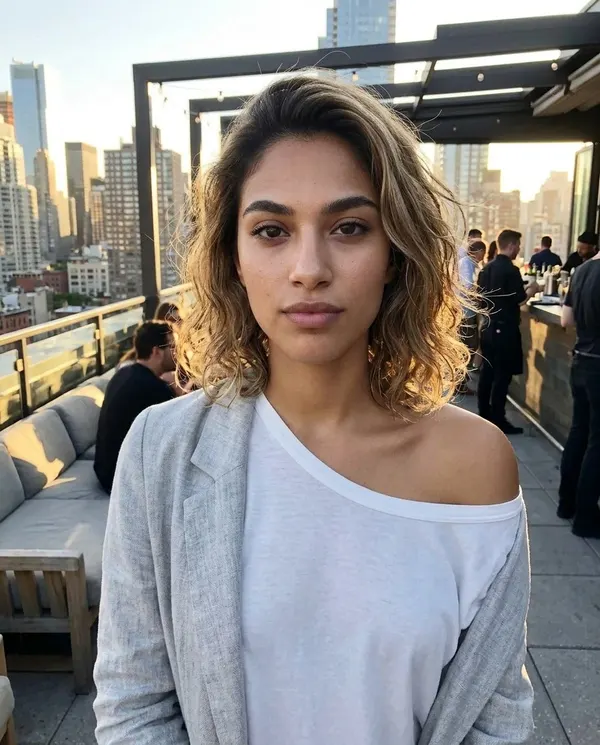


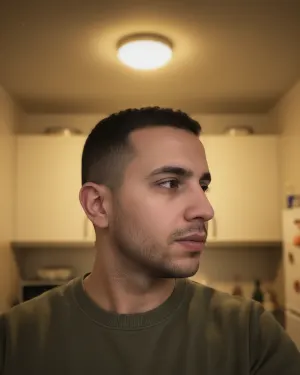


1. Lead with a clear solo face photo
In many regions Tinder requires at least one face photo. Its help center asks for a clear view of your whole face, says well-lit close-ups work best, and tells you not to cover it with a mask, your hand or your phone. No detectable face, and your profile is hidden until you fix it (more in using Tinder without a profile picture).
That's the floor. Go further than the minimum:
- Solo. Tinder's own Photo Selector filters out group photos. Take the hint.
- Chest up, eye level. Your face fills a good part of the frame, not a speck on a mountain.
- Soft daylight. A window or open shade. Noon sun and dim bars are the classic killers.
- Nothing on your face. No sunglasses or phone. Tinder rejects verification selfies when the face is blocked or the video is dark, and the same things make a weak photo.
- Recent. Face Check and Photo Verification compare a live video of you with your photos. A shot from three haircuts ago works against you.
Your first picture also does double duty: when you send a Tinder Super Like, it's what lands in front of them next to the blue star. The long version of slot one is in my guide to the best first photo for dating apps.
2. Shoot vertical, because the card is tall
Tinder doesn't publish an official photo size or ratio. The card you swipe on is tall and phone-shaped, so a landscape photo gets cropped hard or shrinks into a strip with you somewhere in the middle.
- Shoot vertical from the start instead of rescuing a wide shot later.
- Keep your face in the upper middle, so any crop still keeps it.
- Use the original file. Photos forwarded over messaging apps come back compressed and soft.
- Preview your profile from Tinder's Edit Info screen and judge your photos there, not in your gallery.
If your best photo is landscape, crop it yourself. Our free dating photo resizer does 2:3 and 4:5 portrait crops in your browser, and the photo stays on your device. I went through what Tinder, Hinge and Bumble actually publish about photo sizes, and why the old 640 x 640 square advice is out of date, in Tinder picture size.
3. Make every photo answer a new question
The most useful line on Tinder's help center is buried in its Photo Tips page. That feature looks at your photos as a set and flags ones that are too similar. One of Tinder's own example nudges:
You have multiple similar selfies, so let's swap one out for a hobby photo.
Use that as your rule. After your face shot, every picture should tell a stranger something new:
- Clear solo face shot, the one above.
- Full length, standing, in clothes you'd actually wear on a date.
- Doing something you really do, caught mid-action.
- One social photo where it's obvious which person is you.
- A place or a prop that gives people an easy first message.
How many is enough? Fewer than you think; the numbers are in how many photos to put on Tinder. Variety matters even more when you swipe in another city with Tinder Passport, because locals have no shared context to go on.
4. Use a dog photo, if it's your dog
A Tinder dog picture hands people an instant opener ("what's her name?"). Borrowed puppies get found out on date one, so skip it if the dog isn't yours. Examples on our dog style page.
5. One suit photo is plenty
A Tinder suit picture says you can clean up. One is enough, ideally at a wedding or a dinner rather than a stiff office headshot (suit style page). Musicians, read my take on the Tinder guitar picture before you add yours.
 AI example
 AI example
6. Test the order before you upload
Drop your shortlist into our free Tinder photo ranker: it scores sharpness, light, resolution and shape, then suggests an order, all in your browser. It can't tell whether you look happy, so let an honest friend pick between the top three.
Short on good pictures? Here's how AI Tinder pictures work, made from your real face.
7. Turn on Smart Photos only when every photo could lead
Tinder's help center suggests turning on Smart Photos so you always lead with your most liked photo. At launch in 2016, Tinder's newsroom said it rotates which photo people see first, records the swipes and moves stronger photos forward. Tinder doesn't publish how it works today.
It can only choose among the photos you give it. Turn it on when every photo could be the first one. To test a specific lead photo yourself, leave it off and change one thing at a time.
Fix the photos before you pay for anything, too. Platinum's Priority Likes get you seen sooner, but by the same first picture (details in my Tinder Gold vs Platinum breakdown). And your photos decide who sees you: Tinder says it shows your profile to more people who Liked photos similar to yours, which I unpack in how the Tinder algorithm works.
8. Let Photo Selector build the shortlist, not the final set
Photo Selector picks solo photos from your camera roll based on things like lighting and composition. Tinder says the scan happens entirely on your phone and it only receives the photos you upload. Some markets also get Photo-Based Suggestions, which is different: some photos are temporarily uploaded to Tinder's servers and shared with its AI provider, then deleted unless you add them. Read the screen before you tap allow.
Worth using to dig through 4,000 photos, but it won't know a shot is three years old. Let it build the shortlist, then decide yourself.
9. Keep every photo recognizable
Face Check and Photo Verification compare a live video selfie with your profile photos, and Tinder says photos you add after verifying go through continued verification and might affect your status. So the test for every photo, edited or not, is simple: would a friend say "yep, that's you"? Cropping and fixing the brightness pass. A filter that reshapes your face doesn't.
Can you use AI pictures on Tinder?
What Tinder says: its community guidelines tell you not to pretend to be someone you're not, and as of November 2026 they don't mention AI photos by name. Tinder is itself testing an AI Photo Enhance tool, which checks that the edited photo still looks like you. Rules can be stricter by country: on its page for India, Tinder says realistic photos that AI created or significantly altered count as synthetic content and can get removed or the account banned, while routine edits like brightness or color don't.
Outside places with rules like India's, I'd draw the line at likeness, not the tool. AI photos made from your own recent selfies, that look like you today, sit on the same side as a good photographer. Anything that makes you younger, slimmer or someone else doesn't, and Face Check compares your live face with your photos anyway. Keep a regular phone photo or two in the mix. More in are AI dating photos allowed.
If your camera roll is all mirror selfies, that's the gap MainPic fills: upload 3 selfies, get 3 free photos and judge whether they look like you.
10. Check the whole set before you hit save
Open the preview from Tinder's Edit Info screen and go down this list:
- Photo one: solo, well lit, recent, full face visible.
- Every photo is vertical and looks right in the profile preview.
- No two photos from the same moment or pose.
- Nothing gives away where you live or work.
- A friend would say "yep, that's you" about every one.
Once every box is ticked, a Tinder Boost is finally worth testing. Borrow a structure from my Tinder bio guide for the words, and if something still feels off, run through the list of dating profile photo mistakes.
Tinder pictures for women: what's different
The set above works for everyone. What usually changes for a woman choosing Tinder pictures is the goal: better matches rather than more, and less unwanted attention. Your photos are a filter as much as a hook.
- Get Photo Verified. It lets you turn on Photo Verified Chat, so only verified people can message you; anyone else is asked to verify first.
- Remove location clues: your building's entrance, a street sign, an office badge. Crop them or blur the background.
- Put an activity in slot two or three. It gives people something better to open with than "hey".
- One group photo, max, after your solo shots.
The full version across Tinder, Hinge and Bumble is in my guide to female dating profile pictures, and the app-agnostic version for everyone is dating profile pictures.
What Tinder itself says about profile pictures
| Feature | What Tinder says it does | Where |
|---|---|---|
| Face photo requirement | Hides your profile if it can't detect a valid face photo | Many regions, still rolling out |
| Photo Verification | Compares a video selfie with your photos; blue check if they match | Optional |
| Face Check | Mandatory video selfie for new users, matched to your photos | New users in California and 7 countries (October 2025), more US states announced |
| Smart Photos | Leads your profile with your most liked photo | A setting you turn on |
| Photo Selector | Suggests solo photos from your camera roll, on your phone | Android and iOS, globally (another version in Australia, Brazil, Canada, Thailand) |
| Photo Tips | Suggests adding or swapping photos for variety | Select markets |
| Photo Enhance | Fixes blur and lighting, checks it still looks like you | Testing in select markets |
 Written by Wasim · MainPicAbout MainPic →
Frequently asked questions
What are the best pictures for Tinder?
A clear, well-lit solo photo of your face first, then a full-length shot, something you do, one social photo and a place or prop such as your dog. Keep them recent, vertical and different from each other.
What size should Tinder pictures be?
Tinder doesn't publish an official size. My rule of thumb: portrait photos at least 1,080 pixels wide, roughly 2:3 or 4:5, with your face in the upper middle so the crop doesn't cut it. Then check them in the profile preview.
Are group photos good for Tinder?
One is fine, never as your first photo. Tinder's own Photo Selector filters group shots out, and a lead photo where nobody knows which face is yours wastes the slot. Put it after your solo shots and make it obvious which person is you.
Does Tinder pick your best photo automatically?
Only if you turn on Smart Photos, which Tinder says leads your profile with your most liked photo. Photo Selector can also suggest photos from your camera roll, but you choose what gets uploaded.
Can you use AI pictures on Tinder?
Tinder's guidelines ban pretending to be someone you're not, and as of November 2026 they don't mention AI photos by name (India has stricter rules on realistic AI images). If you use them, they should come from your own selfies and look like you today, since Face Check and Photo Verification compare your live face with your photos.
What pictures should a woman put on Tinder?
The same core set: a clear solo face photo, a full-length shot, an activity and one social photo. Get Photo Verified, skip face-changing filters, and remove anything that shows where you live or work.
Sources
- Tinder Help: My profile is hidden (face photo requirement)
- Tinder Help: Photo Verification
- Tinder Help: How Does Photo Verification Work?
- Tinder Help: Photo Verified Chat
- Tinder: Face Check FAQ
- Tinder Newsroom: Tinder to Expand Facial Verification Feature Across the U.S. (October 2025)
- Tinder Help: Problems with Matches (Smart Photos)
- Tinder Newsroom: Introducing Smart Photos (2016)
- Tinder Help: Photo Selector
- Tinder Help: Finding your best photo (Australia, Brazil, Canada and Thailand)
- Tinder Help: Photo-Based Suggestions
- Tinder Help: Photo Tips
- Tinder Help: Photo Enhance
- Tinder Help: Editing your profile
- Tinder Help: India's Synthetically Generated Information (SGI)
- Tinder Community Guidelines
- Tinder Help: Powering Tinder, The Method Behind Our Matching (photos similar to yours)
Keep reading
Best Tinder Pictures for Guys: The 6 Shots You Need
The best Tinder pictures for guys: 6 shots with one job each, the order that works, the photos to cut, and free tools to check your set before you post.
Read the guide →How Many Photos on Tinder, Hinge and Bumble? (2026)
How many photos to put on Tinder, Hinge and Bumble: each app's own limits and advice, the 6 photos worth having, and why 5 strong beats 9 weak.
Read the guide →Tinder Algorithm 2026: How It Works, Elo Myth and Fixes
How the Tinder algorithm works in 2026, from Tinder's own pages: activity, Likes, photo cues, new AI picks. Why Elo is gone and what you control.
Read the guide →