AI dating photos from your selfies
Better happn photos in 10 minutes.
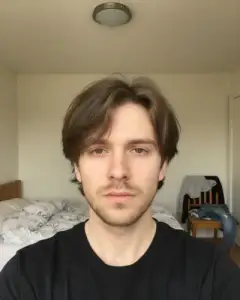 Before
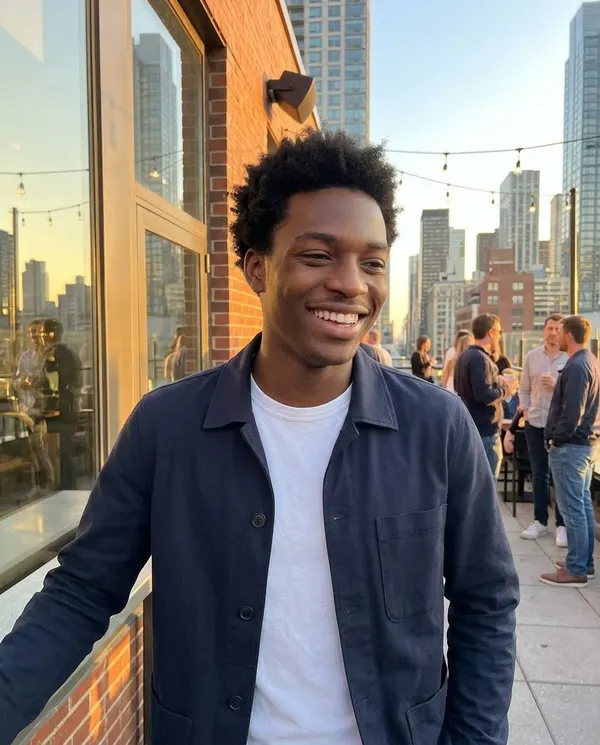
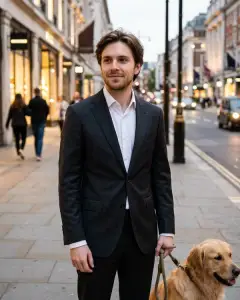 After · AI photo
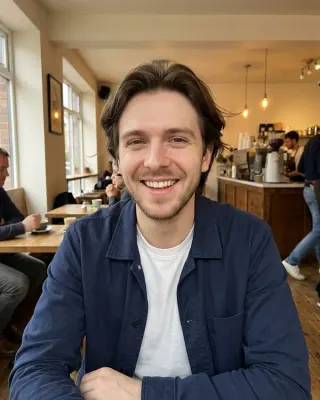

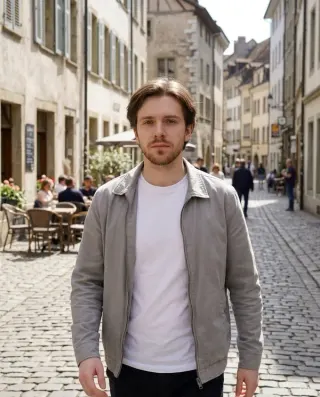
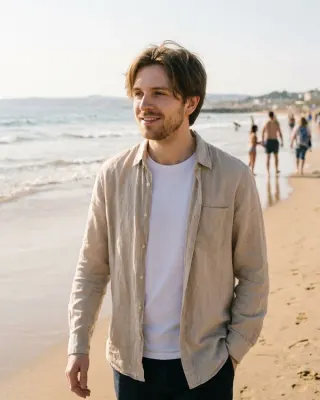
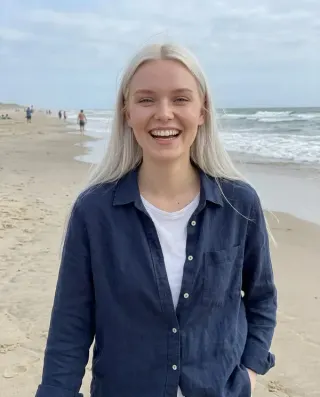
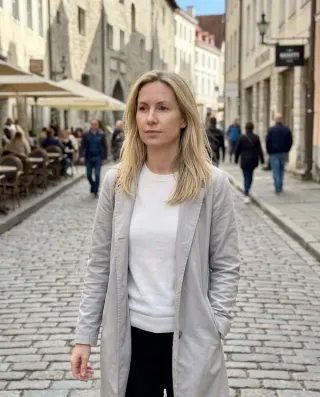
happn is built on crossing paths in real life: your profile shows up for people you've crossed, so they might recognize you at the next coffee shop. Your photos need to genuinely look like you. happn asks for authentic photos and rules out heavy AI edits and fully AI-generated portraits.
From $24.99 · one-time paymentFrom €24.99 · one-time paymentFrom CHF 24.99 · one-time payment · No subscription · Not like you? Redone or refunded
- Private: never used to train AI
- Selfies deleted within 24 h if you don't buy
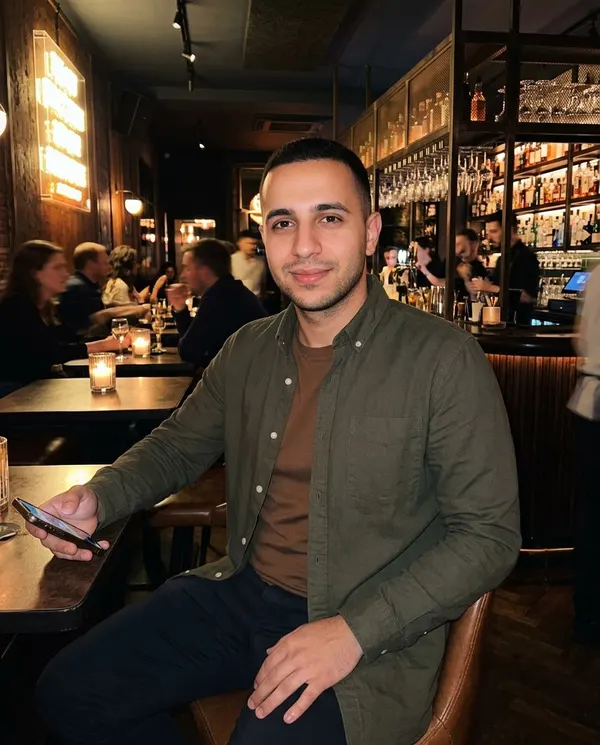
happn tips
What works on happn
A clear face shot first
happn requires your first picture to show your face. Pick a front-facing, well-lit portrait with no sunglasses, where you're instantly recognizable.
Photos that pass certification
Certification compares your video with your photos. A picture that doesn't look like you can make it fail, so keep images true to your current face, hair and style.
Everyday local settings
On happn you cross paths with people near you. Cafe terraces, street shots or a concert fit the app well because they show your real day-to-day life.
Re-certify after every change
Changing your photos can remove your badge. Once your profile is updated, redo the certification video straight away, in light that is neither too bright nor too dim, facing your phone straight on.
- happn asks you to add at least one profile photo when you create your account.
- Your first picture must be a photo of your face, to guarantee your profile is authentic.
- Free profile certification compares a short video (you mimic a head gesture) with your profile pictures; if it matches, a black badge appears on your profile.
- Changing your pictures can remove your badge, so you may have to certify again.
- happn's Trust Charter allows a little touch-up but rules out heavy AI modifications, deepfakes and purely AI-generated portraits.
happn Help Center - How can I add or delete pictures on my profile? · happn Help Center - Comment ajouter et supprimer des photos sur mon profil ? · happn Help Center - How can I certify my profile? · happn Help Center - My profile has not been certified. How come? · happn Help Center - What does the black badge stand for? · happn Trust Charter · happn on the App Store
How it works
A full photoshoot in 4 steps
- 1. Payment
- 2. 3 selfies
- 3. Pick & create
- 4. Your photos
- 1
Upload 3 selfies
Front, left and right. Phone selfies are fine — good light helps.
- 2
Pick your vibes
Coffee shop, rooftop, hiking, suit, beach, with a dog… pick the photos you want to be in.
- 3
Choose your pack
60 or 120 photos, one-time payment, no subscription. Or try 3 watermarked photos free.
- 4
Get your photos
In about 10 minutes, download realistic photos ready for your profile.
What you get
20 themes
Coffee, travel, suit, beach, night out… up to 20 of your choice, in every pack.
~10 minutes
No photographer, no booking, no friend to ask.
Private
Your selfies are only used for your photos, never to train AI. Selfies deleted after 24 h if you don't buy, photos 30 days after the order.
Guaranteed
Doesn't look like you? We redo it free, or refund you.
Pricing
Pay once. Use your photos anywhere.
No subscription. No hidden fees.
Free trial
See the result on your own face before you pay
$0€0CHF 0
- 3 watermarked photos
- No card needed
- Ready in ~2 min
Basic
Enough to redo your whole profile
$24.99€24.99CHF 24.99one-time
$0.42 per photo€0.42 per photoCHF 0.42 per photo
- 60 photos: 10 themes × 6 variations
- Ready in ~10 min
Pro
Every theme, plenty to test what works
$39.99€39.99CHF 39.99one-time
$0.33 per photo€0.33 per photoCHF 0.33 per photo−20%
- 120 photos: all 20 themes × 6 variations
- Ready in ~10 min
- Lowest price per photo
Happiness guarantee
If none of your photos look like you, email us within 14 days: we redo them for free, and if they still don't, we refund you in full. Details
FAQ
Questions, answered
Will the photos look like me?
That's the goal: the AI builds every photo from your 3 selfies to keep your face, skin tone and hair. Results depend a lot on your selfies (good light, no sunglasses, face clearly visible), and a full-body photo helps get your build right. Not every photo will be a keeper: pick fewer themes to get several versions of each photo. If none of them look like you, we redo them for free, then refund you if they still don't.
Will people be able to tell it's AI?
The photos are made to look like real phone or camera shots of you. AI can still slip up on details like hands, text or backgrounds: pick fewer themes to get several versions of each photo, and keep the most natural ones.
Is it OK to use AI photos on dating apps?
Dating apps ban photos that mislead people about who you are, and some let users report AI photos. Rules differ between apps and change over time, so check each app's guidelines. Our advice: only use photos that truly look like you, and add at least one recent unedited photo.
What selfies should I upload?
3 recent selfies: front, left side and right side. A full-body photo is optional but helps the AI get your build right. Natural light, no filters, no sunglasses, nobody else in the frame. Phone selfies are fine.
I wear glasses / have a beard / have tattoos. Is that a problem?
No. The AI copies what it sees in your selfies, so take them with your current look: glasses on if you usually wear them (clear lenses, no glare), beard and hair as they are now. Small details like tattoos, piercings or scars may not be reproduced exactly.
How long does it take?
Usually about 10 minutes. You can keep the page open or come back later with your private link.
Is this a subscription?
No. You pay once, with no recurring charges. Your photos stay on your private page for 30 days: download them and they're yours to keep and use.
Can I use the photos on Tinder, Hinge and Bumble?
Yes. The photos are yours to use on any dating app or social network. They are delivered in HD, in portrait 4:5. Dating apps don't publish an official photo size, and portrait photos in 4:5 or 2:3 both work.
Can I use them on Instagram or LinkedIn?
Yes. The photos are yours to use on any social network or website. For LinkedIn, pick the most natural ones, like the suit or studio portrait.
What happens to my selfies?
They're only used to create your photos. They're processed by our AI provider (fal.ai) for that purpose only, never sold and never used to train AI models. Selfies are deleted automatically after 24 hours if you don't buy, and photos 30 days after the order. You can ask us to delete them sooner.
What if I don't like my photos?
Not every photo will be a keeper: pick fewer themes to get several versions of each photo. If none of them look like you, email us within 14 days: we redo them for free, and if they still don't, we refund you in full. Your face is always covered; your body shape is covered if you added the full-body photo.
How do refunds work?
Refunds under our guarantee go back to your original payment method through Stripe. Your bank may take 5 to 10 business days to show it. All the details are in our refund policy.
Is payment secure? How can I pay?
Payments are handled by Stripe. We never see or store your card details. You can pay by card and, depending on your device and country, with Apple Pay, Google Pay or other methods.
Can I upload photos of someone else?
No. You can only upload photos of yourself, and you must be 18 or older. Creating photos of someone else, even a friend, isn't allowed.
happn guides: photos, bio and first messages
Candid Dating Profile Photos: How to Look Natural
Candid dating profile photos that look natural: why posed shots look stiff, how to get candid ones on purpose, the best light, and how much to edit.
Read the guide →Best Photo Editing Apps for Dating Profile Pictures (2026)
Best photo editing apps for dating profile pictures: Snapseed, Lightroom, VSCO, Facetune and free browser tools. What each fixes, costs, and where to stop.
Read the guide →No Good Photos for Dating Apps? Fix It This Week
No good photos for dating apps? Find the usable ones you already own, shoot the missing ones in an hour, and deal with hating how you look in photos.
Read the guide →Dating Profile Photos Over 50 for Men and Women
Dating profile photos over 50: the 5 photos to post, light that's kind to mature skin, glasses, gray hair, grandkids, late spouses and AI photos.
Read the guide →Dating Profile Photos After Divorce: A Fresh Start
Dating profile photos after divorce: why your old ones fail, the ring tan line, kids in photos, what to post first and how to get new photos fast.
Read the guide →Dating Profile Pictures for Men Over 40: What Works
Dating profile pictures for men over 40: the first photo, what to wear, light that's kind to your face, the 6-photo set, and where AI photos help.
Read the guide →Your best dating photos start here.
Upload 3 selfies, pick your themes and get your photos in about 10 minutes.