Tinder Picture Size: The Crop That Works in 2026
Tinder publishes no photo size. The crop that fits its tall card (1080 x 1620), Hinge and Bumble sizes, and fixes for blurry or HEIC photos.
8 min read
In this article
Quick answer
Tinder doesn't publish an official picture size or aspect ratio. Its swipe card is tall and phone-shaped, so upload a vertical photo at least 1080 pixels wide, ideally 1080 x 1620 (2:3), with your face in the upper middle. Of the big three apps, only Bumble names a size: JPG or PNG up to 128 MB, ideally 1024 x 1024 pixels.
The top Google result for this search still says Tinder wants a 640 x 640 square. That number was measured on an iPhone 6, in a post last updated in August 2018. Your phone isn't an iPhone 6, and Tinder isn't the 2018 app either.
Last checked: November 2026, against Tinder's, Hinge's and Bumble's own help centers.
Tinder picture size: what Tinder says vs what you actually see
| Question | What Tinder's help center says | What that means for you |
|---|---|---|
| Pixel size | Nothing published | Go for 1080 px wide or more, so nothing gets stretched |
| Aspect ratio | Nothing published | Vertical. The card is taller than it is wide |
| File format and max size | Nothing published | JPG is the safe bet on every phone and on tinder.com |
| Face | Where a face photo is required (a growing list of regions), profiles are hidden when Tinder can't clearly detect one | Your face has to survive the crop, well lit and unobstructed |
| Quality | Photo Enhance, tested in select markets, can help fix "blurry images" | Tinder cares about sharpness enough to build a tool for it |
So where does the old square advice come from? Photofeeler measured Tinder in August 2018: the upload made you crop to a 1:1 square, then the swipe deck zoomed the main photo to a taller shape of about 0.7:1 (600 x 848 pixels on that iPhone 6). Even back then, the square wasn't what people saw.
What I see today: the card fills most of a modern phone screen, with your name, age and the buttons sitting over the bottom part of the photo. Screens are taller than they were in 2018, so the exact ratio depends on your phone. That's why I don't trust any single pixel number, mine included. Plan for a tall crop and keep the important stuff in the middle.
Example: 1 selfie in, profile photos out
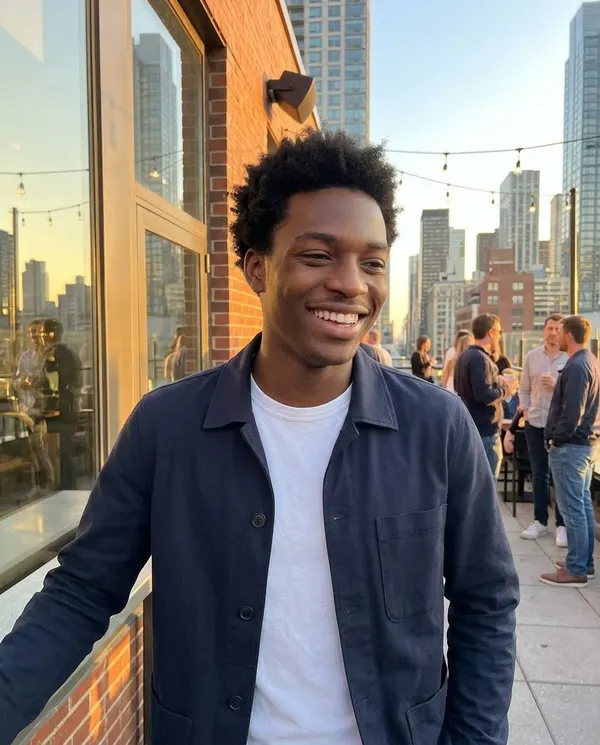
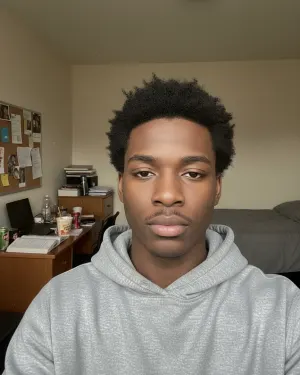
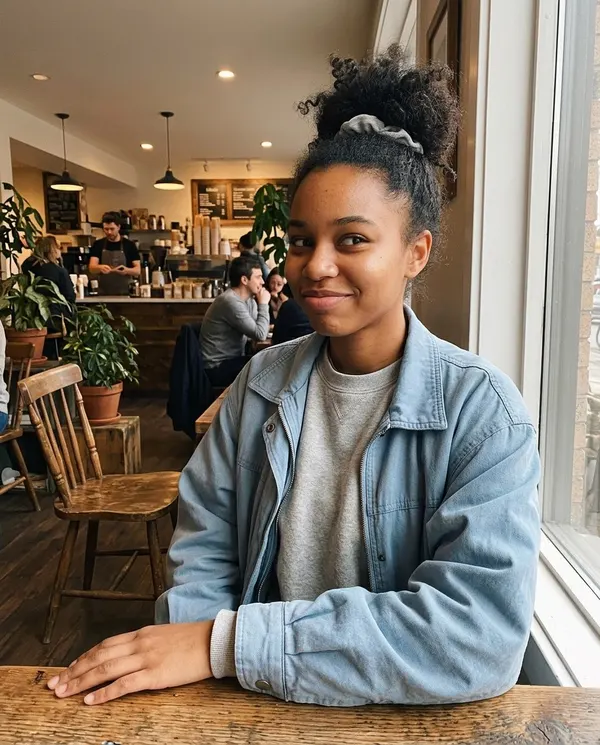
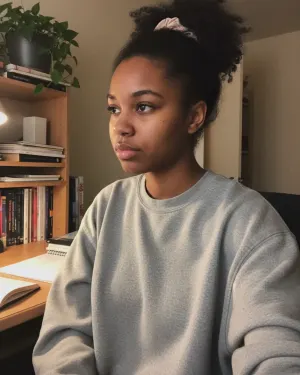
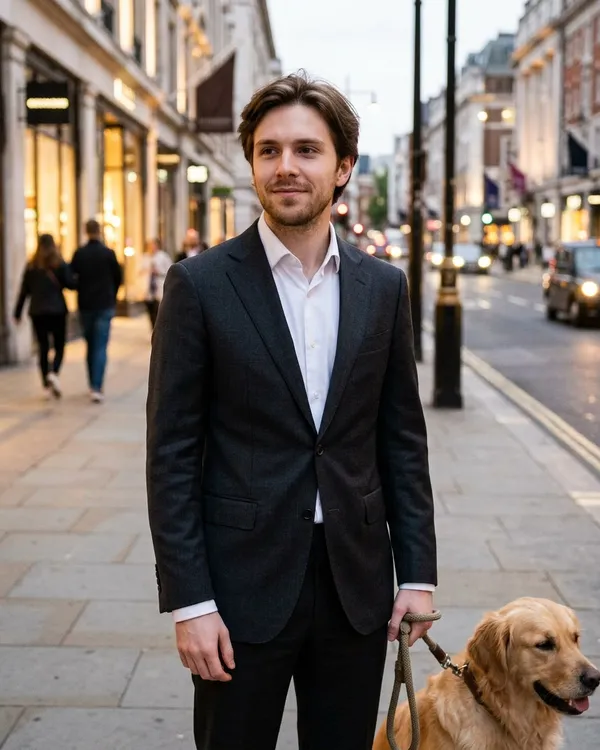

How to crop a photo for Tinder without cutting your head off
The classic mistake isn't a wrong pixel count. It's a crop that chops off the top of your hair, or one where your face ends up behind your name at the bottom of the card. Here's the order I crop in.
- 1
Start from the original
Use the file straight from your camera roll. A photo that came back to you over WhatsApp, Messenger or a screenshot has already been squeezed, and every later crop makes that worse.
- 2
Pick the frame before you move anything
Set the crop to 2:3 vertical first, then slide the photo inside it. Freehand cropping is how you end up with a 1:1.1 nobody asked for.
- 3
Eyes about a third of the way down
Put your eyes roughly on the upper third line. That keeps your face clear of the name and buttons at the bottom of the card.
- 4
Leave a little headroom
Keep a thin strip of space above your hair. A crop that kisses the top of your head looks cramped, and one that slices through it looks like a mistake.
- 5
Cut between joints, not at them
Crop mid-thigh or mid-forearm, never right at the knees, ankles or wrists. Cuts at the joints make people look amputated.
- 6
Check it where it will live
Upload, then open your profile preview from Tinder's Edit Info screen. Judge the photo there, not in your gallery.
Got a great landscape shot? Don't force it into a tall crop if that leaves you as a tiny figure in the middle. The resizer's "Fit" mode places the whole photo on a blurred background instead, so nothing gets cut. For a full-length photo, a vertical shot taken 6 to 10 feet back beats any rescue crop. Which shots deserve a slot in the first place is covered in the Tinder pictures guide.
Hinge and Bumble photo size
Hinge and Bumble frame photos differently from Tinder, so one file has to work three ways. Here's everything on record, split by what each app says and what has been measured or reported elsewhere.
| App | What the app says | Measured or reported (not official) | What I'd export |
|---|---|---|---|
| Tinder | No size, ratio or file limit published | Tall card; about 0.7:1 measured on an iPhone 6 in 2018 | 1080 x 1620 (2:3) |
| Hinge | No size published. For Selfie Verification, the photo must not "crop any part of your face or head" | Third-party guides mostly suggest a 1:1 square (800 x 800 or 640 x 640), without citing Hinge | 1080 x 1350 (4:5), face centered |
| Bumble | JPG or PNG up to 128 MB, "ideally" 1024 x 1024 pixels | Tall card, about 0.62:1, measured on an iPhone 6 in 2018 | 1024 px wide or more, face centered so a tall crop keeps it |
Hinge
Hinge doesn't publish dimensions. The guides that list one mostly say square, and none of them point to anything from Hinge. I export 4:5 with the face in the middle anyway: if Hinge shows it square, you lose a bit of top and bottom and you're still in the frame. That's my framing choice, not a Hinge rule.
The one crop rule Hinge does write down is about verification: no part of your face or head cut off, sharp, unfiltered, nobody else in the photo. That's a good standard for your first photo anyway. For what to put in all six slots, see Hinge profile pictures.
Bumble
Bumble's help center is refreshingly specific: JPG or PNG, up to 128 MB, ideally 1024 x 1024. Notice the catch. That ideal is square, while the card people swipe on was measured tall and skinny (Photofeeler, 2018). If you upload a square, expect the sides to go, so center yourself. A tall 2:3 works too, as long as it's at least 1024 pixels wide. What to actually show is in the Bumble pictures guide.
The practical shortcut for all three: shoot vertical, keep your face centered with headroom, export at 1080 px wide or more. One file then survives Tinder's card, Hinge's crop and Bumble's square ideal.
Short on good pictures? Here's how AI Tinder pictures work, made from your real face.
Why your Tinder photo looks blurry (and what HEIC has to do with it)
Blurry on Tinder almost always means one of four things.
- It was forwarded. Messaging apps compress photos to save data. Ask your friend for the original file, or have them AirDrop it.
- It's a crop of a crop. Too few pixels left to fill a full-screen card. If the photo is small but genuinely sharp, our AI image upscaler can enlarge it (3 free uses a day, shared across our AI tools; the photo goes to our AI provider, fal.ai). It can't fix motion blur or missed focus. Retake those.
- It's the wrong format for where you're uploading. iPhones save photos as HEIC by default. The phone apps usually cope, but some browsers, Windows PCs and editors don't. Apple's fix: Settings > Camera > Formats > Most Compatible makes new photos JPEG. Older photos may be sent in a more compatible format when you share them by AirDrop, Messages or email with a device that can't read HEIC.
- It was saved from the web. WebP and AVIF files from a website or a photographer's gallery can get rejected or mangled. Turn them into JPGs with the free image converter, in your browser.
Tinder is clearly watching this too. Its Photo Enhance test targets blurry, badly exposed and low-clarity photos, and a test feature in Australia, Brazil, Canada and Thailand suggests camera-roll photos partly based on photo quality. Neither is a reason to upload a soft photo and hope. Sharp in, sharp out.
Before you hit save
- Vertical, 1080 px wide or more, JPG
- Eyes on the upper third, a strip of space above your head
- Nothing important along the bottom, where your name sits
- No forwarded or screenshotted copies
- Checked in the profile preview, not just the gallery
If every decent photo you own is landscape, a group shot or ten years old, the size problem is really a photo problem. You can get 3 free photos (watermarked) from 3 selfies. They come out as vertical portraits, and the resizer above crops them for each app. Then decide how many to use and which one goes first. Photo limits for other apps are in the dating app photo rules.
 Written by Wasim · MainPicAbout MainPic →
Frequently asked questions
What size should a Tinder picture be?
Tinder doesn't publish a required size. A vertical photo at 1080 x 1620 pixels (2:3) looks sharp and fits the tall card. Anything at least 1080 pixels wide works if your face is in the upper middle.
What is Tinder's aspect ratio?
Tinder doesn't state one. The old 1:1 square advice comes from Photofeeler's 2018 measurements, and even then the swipe card showed a taller crop of about 0.7:1. Phone screens have gotten taller since, so a 2:3 vertical crop with your face centered is the safer bet.
Why are my Tinder pictures blurry?
Usually because the photo was forwarded over a messaging app, screenshotted, or cropped from a much bigger shot. Upload the original file, at least 1080 pixels wide. Tinder is testing Photo Enhance in select markets to fix blurry photos, but a sharp original beats any fix.
What size are Hinge and Bumble photos?
Hinge doesn't publish a size, and third-party guides mostly suggest a square. A 4:5 vertical photo with your face centered survives either shape. Bumble says JPG or PNG up to 128 MB, ideally 1024 x 1024 pixels, though its swipe card was measured taller (Photofeeler, 2018), so keep your face in the center.
How do I fit a whole picture on Tinder without cropping it?
Tinder fills its tall card, so a wide photo gets cut. To keep everything, place the photo on a vertical 2:3 canvas with a blurred or plain background. Our free dating photo resizer does this in its Fit mode, in your browser.
Can I upload HEIC photos to Tinder?
Tinder doesn't list accepted formats. The phone apps usually handle iPhone photos fine, but browsers and Windows can struggle with HEIC. To be safe, set Settings > Camera > Formats > Most Compatible on your iPhone so new photos save as JPEG.
Sources
- Tinder Help: My profile is hidden (face photo requirement)
- Tinder Help: Photo Enhance
- Tinder Help: Finding your best photo (Australia, Brazil, Canada and Thailand only)
- Tinder Help: Editing your profile
- Hinge Help: What is Selfie Verification?
- Hinge Help: How do I edit my profile?
- Bumble Support: Uploading profile photos and videos
- Apple Support: Using HEIF or HEVC media on Apple devices
- Photofeeler: Tinder Picture Size (measurements, last updated 2018)
- Photofeeler: Bumble profile pictures photo size (measurements, last updated 2018)
- Instasize: Hinge profile photo size guide (third-party, 1:1 planning canvas)
Keep reading
Tinder Super Like: What It Does and When It Works (2026)
What a Tinder Super Like does, whether they see it before swiping, how many you get on Gold and Platinum, and when it's worth sending.
Read the guide →Can You Send Pictures on Tinder? What Works in 2026
No, Tinder chat has no photo upload. What you can send instead (GIFs, Bitmoji), how to share a picture safely, and Tinder's tools for unwanted messages.
Read the guide →Tinder Guitar Picture: Red Flag or Smart Move?
Should you post a guitar picture on Tinder? When it works, when it's the meme, how to shoot it so it looks real, and other ways to show a hobby.
Read the guide →