Hinge Shadowban or Ban? Signs, Appeals and Fixes (2026)
Is the Hinge shadowban real? What Hinge's help center and a spokesperson say, the signs users report, how to appeal a ban, and what to fix first.
9 min read
In this article
- 1.Does Hinge shadowban? What Hinge says vs what users say
- 2.Official reasons you're invisible on Hinge (check these first)
- 3.Signs of a Hinge shadowban users report (and what they really mean)
- 4.Why Hinge bans accounts
- 5.How to appeal a Hinge ban or a removed photo
- 6.What not to do: new accounts and workarounds
- 7.Not banned? Fix the boring stuff
Quick answer
Sort of. Hinge's help center never uses the word "shadowban", but Gizmodo reported in 2023 that a Hinge spokesperson said the app does shadowban some bad actors, by keeping them out of other people's searches, feeds and inboxes. A real Hinge ban shows a ban screen with an in-app Appeal button, a removed photo can keep you out of Discover until you replace it, and most "I'm shadowbanned" cases are low visibility you can check and fix yourself.
I read every Hinge help article on bans, removals, warnings and visibility. Below, I keep apart what Hinge says, what users report and my take.
Does Hinge shadowban? What Hinge says vs what users say
| Question | Hinge says | Users report / my take |
|---|---|---|
| Is "shadowban" an official Hinge status? | No. A search of Hinge's help center for "shadowban" returns zero articles (November 2026). | It's community slang for "my likes stopped and nobody told me why". |
| Does Hinge quietly restrict anyone? | Not on its own site. But Gizmodo reported in 2023 that a Hinge spokesperson said the app does shadowban people (though not the way the user in that story described it), and sometimes handles bad actors by stopping others from searching for them, seeing them in the feed or getting their messages. | Gizmodo added that rule breakers often open new accounts after an outright ban, so a quiet restriction can work better, and that a flagged user may not notice for a while. Hinge has never said what triggers one or how long it lasts. |
| Does Hinge hide you from good matches? | The same spokesperson: "We do not withhold possible matches from users." | Users still report feeds that suddenly get worse, then recover months later. |
| Will support confirm a shadowban? | Hinge says it does not respond to requests for more details about bans. | Don't expect a yes or no from support. |
If you broke no rules, a secret penalty is the least likely explanation. Hinge has official ways to make you invisible, and they're far more common.
Example: 1 selfie in, profile photos out

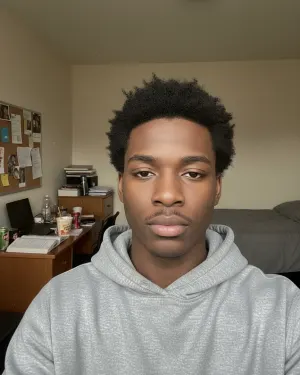


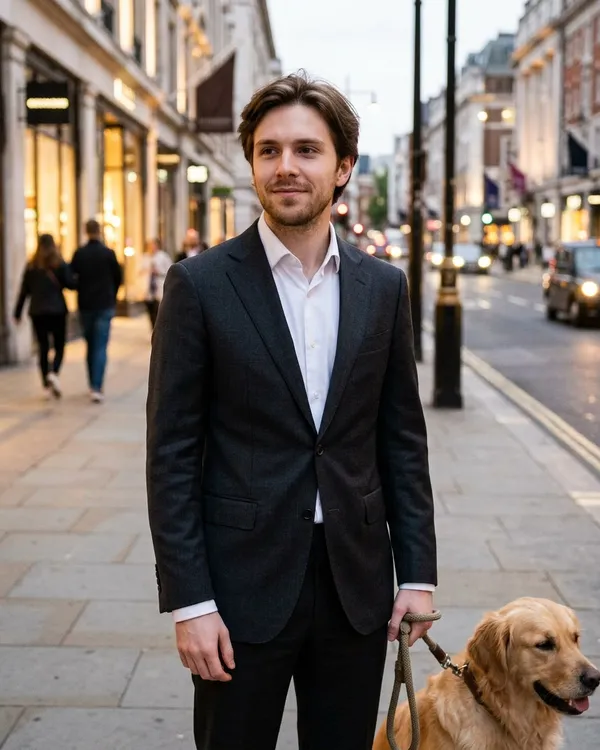
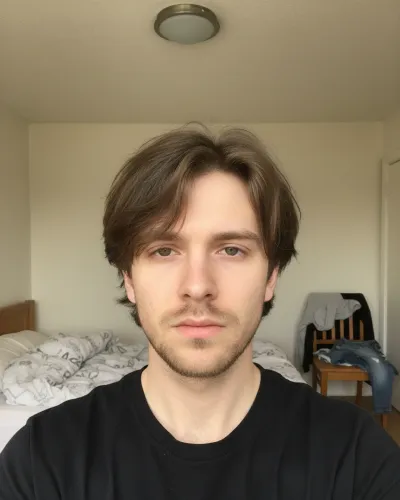
Official reasons you're invisible on Hinge (check these first)
Each of these comes straight from Hinge's help center, and each one feels exactly like a shadowban from the inside:
| What happened | What Hinge says it does | How to spot it |
|---|---|---|
| A photo or prompt was removed | You may not appear in Discover or Standouts until you replace it. You can still chat and see incoming likes. | A banner, push or email about removed content. Look in the app. |
| You got a warning | Until you acknowledge it, you can't send likes or messages, or edit your profile or preferences. | A warning screen about a conversation. |
| Your profile is paused | Pausing "prevents you from being shown to new people". | An "Unpause Profile" button on Discover. |
| Your preferences are tight | Discover is built on mutual interest. Turning on "Show profiles outside of this preference" also gives more people a chance to see you. | Strict age, distance or dealbreaker filters. |
| You like everyone | Hinge's algorithm learns from your likes and tells you to like good fits, not large numbers of people. | Dozens of likes a day, few replies. |
| Others are paying | HingeX can put subscribers at the top of other people's Discover feeds; Boost and Superboost show a profile to more people for 1 or 24 hours. | Not visible to you, but it's competition. |
And before you pay for extra visibility, read what a Hinge Boost actually does and why it can't rescue a profile nobody likes.
Signs of a Hinge shadowban users report (and what they really mean)
These are user reports, not Hinge statements. None proves anything on its own:
- Likes You stays at zero for days after a normal stream of likes. Could be a quiet restriction. Could also be a removed photo you missed, or a pause.
- Comments and Roses get no answer at all. Worth noting, but plenty of healthy profiles go a week without a reply.
- The feed gets visibly worse, or the same profiles keep coming back. The man in the Gizmodo story described a feed full of people he wasn't drawn to, and said it improved suddenly around New Year with no change on his part.
- A sudden cliff right after a report or an argument in chat. This one deserves attention: reports feed into moderation, and Hinge may warn or remove people over conversations.
One sign on its own means nothing. A sudden cliff plus several signs plus something that could have triggered a report is worth acting on. A slow fade over months is almost always photos and settings. And if likes are vanishing from your Likes You list, check the boring causes first: why Hinge likes disappear covers deleted profiles, Comment Filter and Your Turn Limits.
Why Hinge bans accounts
Hinge's Community Guidelines say that if you break them or the Terms, "your content may be removed, and your account may be permanently banned". The help center lists what gets accounts removed:
- Misrepresentation: misleading or outdated photos, lying about your age, posting someone else's photo, and using fake identities or AI-generated content to mislead others.
- More than one account: each account must belong to one dater, and the Terms say you can't have any other accounts.
- Harassment, hate, threats and discriminatory content, online or offline.
- Scams, spam and promotion: links to outside sites or payment platforms, sugar dating, mass solicitation.
- Bots and autoswipers: using one may get you banned; building or distributing one will.
- False reports: deliberate false reports may lead to a permanent ban.
- Being under 18, or posting photos of minors (childhood photos included).
Hinge says bans come from user reports, moderator review and automated systems, with trained moderation staff making the final call. The ban screen sometimes shows the reason. Often it doesn't.
What about AI photos?
Hinge doesn't ban AI images as such. Its AI principles say generative AI in your profile should not be used to misrepresent yourself or your intentions, and its content rules ban AI content used to mislead. An AI photo that doesn't look like you is exactly what gets removed. Hinge's own guide to using AI in dating goes further and tells daters to skip AI-generated profile photos: 88% of Hinge daters are uncomfortable with them. MainPic makes AI photos, so here is my honest line: if you use any, use them for one or two shots and keep them exactly like you, next to real photos, and delete anything a friend wouldn't recognize. More in are AI dating photos allowed.
No recent photos you like? You can create AI Hinge photos from 3 selfies, then mix them with real shots.
How to appeal a Hinge ban or a removed photo
- 1
Use the in-app flow, nothing else
Open Hinge, read the ban screen, tap Appeal, explain why you didn't break the Terms, and submit. Hinge says appeals sent by email, social media or to individual employees are not processed.
- 2
Have an ID ready
Some appeals ask for a government-issued ID before you can continue, and Hinge may ask for one during its investigation. A Trust & Safety team member follows up by email. Hinge says a passport can speed things up outside the US.
- 3
Don't chase it
Hinge warns that contacting the team again after you submit may move your appeal back in the review queue. It publishes no review time.
- 4
For a single removed photo or prompt
Open the banner or notification, find the item, tap Did we get this wrong?, write a short note, then Send for review. Don't replace it first: once replaced, you can't appeal it.
What not to do: new accounts and workarounds
Some top-ranking guides walk you through a "hard reset": new phone number, new email, new photos, VPN. I won't. Hinge's Terms forbid creating a new account after a suspension or ban without its express permission, and its help center says banned users can't create a new account. Ban evasion gets you banned again, and it's the reason Gizmodo gives for why a quiet shadowban can work better than an outright ban. If you're banned, the appeal is the only route.
Not banned, just quiet? Deleting and rejoining isn't much of a fix: Hinge says deleting your account deletes your photos, chat history and member interactions. What a reset can and can't do is in how to reset Hinge.
Same worry on another app? I ran the same check on the Tinder shadowban and the Bumble shadowban.
Not banned? Fix the boring stuff
Hinge's own advice for no matches starts with photos, and Hinge's list of photos that get more and fewer likes is the place to start.
Getting likes but never a Rose? That's normal, not a ban: everyone gets just one free Rose a week, and the Rose-only Hinge Standouts feed only features profiles drawing a lot of attention.
- Clear any removed-content banner or warning, and unpause.
- Loosen one or two preferences and turn on "Show profiles outside of this preference".
- Like fewer people and comment on the ones you actually want.
- Swap your weakest photos. Score each one with the dating photo score before uploading. Deleting and replacing photos on Hinge has the steps.
- Track Likes You for a week or two before deciding anything.
Missing a good interest photo? A coffee shop shot, a hiking photo or a photo with a dog all fit that list. If you'd rather not shoot them, you can get 3 free photos made from your own selfies, with Hinge's AI advice above in mind. Then skip the classic photo mistakes, and see the bigger picture in how to get more matches.
 Written by Wasim · MainPicAbout MainPic →
Frequently asked questions
Does Hinge shadowban people?
Hinge's help center doesn't mention shadowbans at all. But Gizmodo reported in 2023 that a Hinge spokesperson said the app does shadowban people, sometimes handling bad actors by hiding them from other users' feeds and blocking their messages. Hinge has never published what triggers this or how long it lasts.
How long does a Hinge shadowban last?
Hinge has never said. The man in Gizmodo's 2023 story said his feed recovered suddenly after months, with no change on his part. The official limits are clearer: a removed photo or prompt keeps you out of Discover until you replace it, and a warning blocks likes and messages until you acknowledge it.
How do I know if I'm shadowbanned on Hinge?
You can't confirm it, and Hinge doesn't answer questions about ban details. Rule out the official causes first: a removed photo or prompt, an unacknowledged warning, a paused profile and tight preferences. If Likes You suddenly drops to zero with none of those, a restriction is possible.
How do I appeal a Hinge ban?
Only through the app: open Hinge, tap Appeal on the ban screen, explain why you didn't break the rules and submit. You may need a government ID. Email or social media appeals aren't processed, and Hinge publishes no review time.
Can I make a new Hinge account after a ban?
No. Hinge's Terms forbid creating a new account after a suspension or ban without its express permission, and its help center says banned users can't create a new account. Appeal instead.
Can AI photos get you banned on Hinge?
AI photos aren't banned as such, but Hinge bans AI-generated content used to mislead or misrepresent who you are. Photos that don't look like you, or show a life you don't live, can be removed and can lead to a ban.
Sources
- Hinge Help: Why was my account banned?
- Hinge Help: How can I appeal my ban?
- Hinge Help: What Happens When Content is Removed From My Profile?
- Hinge Help: Notifications about Prohibited Content and Behavior
- Hinge Help: Community Guidelines
- Hinge Help: Prohibited Content & Behavior
- Hinge Help: Note on Third Party Automated Tools
- Hinge Help: Consequences for False Reporting
- Hinge Help: Why Aren't I Getting Any Matches?
- Hinge Help: Discover Feed
- Hinge Help: Likes
- Hinge Help: Pausing
- Hinge Help: How do I delete my account?
- Hinge Terms of Service
- Hinge Newsroom: Hinge's Guide to Using AI in Dating (March 5, 2026)
- Hinge AI Principles
- Gizmodo: 'I Was Shadowbanned:' How Hinge's Algorithm Decides Who You Date (August 2023)
Keep reading
Hinge Signals: What the Purple Heart Badge Means (2026)
The purple heart on Hinge is the Signals badge, a free badge for thoughtful daters: the 3-of-5 rule, how to check yours and why it disappears.
Read the guide →Hinge Voice Prompts: 5 Script Ideas and Recording Tips
How Hinge voice prompts work (30 seconds, where they show), 5 short scripts you can adapt, and recording tips so you sound like yourself, not a voicemail.
Read the guide →How to Reset Hinge: Fresh Start, Delete or Pause (2026)
How to reset Hinge in 2026: what Fresh Start does, the 90-day rule when you delete and rejoin, why pausing resets nothing, and when likes reset.
Read the guide →