Hinge Roses: How Many You Get, Resets and When to Send
Hinge roses explained: 1 free rose a week, no rollover, what the reset really is, what a rose means, paid pack prices, and when a rose is worth sending.
9 min read
In this article
Quick answer
Every Hinge member gets one free Rose a week, and it doesn't carry over: use it or lose it. A Rose puts your like at the very top of the other person's Likes You screen with a Rose icon, and it's the only way to like someone in Standouts. Extra Roses come in packs of 3, 12 or 50; on the US App Store, 3 cost $9.99 and 12 cost $29.99.
Most people spend their weekly Rose on whoever looks good in Discover. That's the worst spot for it. Below: what Hinge's own pages say about Roses (and what they don't, like the exact reset day), and where a Rose actually changes your odds.
Hinge roses at a glance
| Question | What Hinge says |
|---|---|
| Free Roses per week | 1, for every member |
| Do unused free Roses roll over? | No. Skip a week and you still have just 1 |
| When do they reset? | Weekly. Hinge doesn't publish a day or time |
| Can you buy more? | Yes, in packs of 3, 12 or 50 |
| Do bought Roses expire? | No, they stay until you use them |
| Refundable? | No. Hinge calls Rose and Boost purchases final and nonrefundable |
| What the receiver sees | Your like at the top of their Likes You screen, with a Rose icon |
| Where you can send one | Discover, Standouts and Prompt Polls |
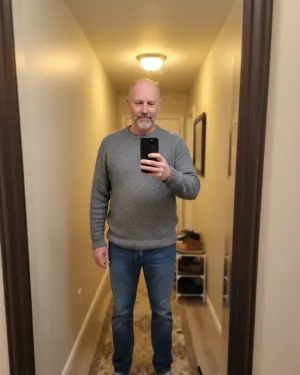
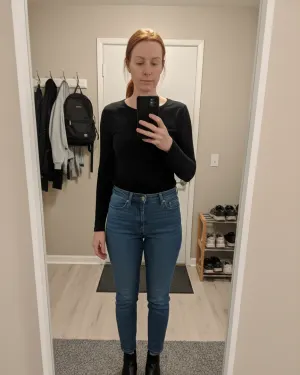
Example: 1 selfie in, profile photos out




What does a rose mean on Hinge?
A Rose is Hinge's loud like. Hinge's own wording: a way to let someone know you really, really like their profile. In practice it's a placement perk. Hinge's Subscriber Experience page gives the order of the Likes You tab when it's sorted by Recent: Roses first, then the most recent like, then Priority Likes, then regular likes.
That order matters more than it sounds, because Hinge says free users only see one incoming like at a time. If a free user has 40 likes waiting, a Rose is the one they meet first. Hinge doesn't document where Roses land when someone sorts by Your Type instead, so don't assume top spot there.
What a Rose doesn't do: create a match, or force a reply. The other person still opens your profile, looks at your photos, and decides. To accept, they tap your profile, then the chat icon, and either send a message or tap Match.
Got one yourself? Someone spent their single free Rose of the week on you, or paid for it. That's real interest, nothing more, and you don't owe them a match. Hinge's pages don't say whether you can tell a free Rose from a paid one. Answer it either way, match or skip: reviewing incoming likes is one of the habits behind Hinge's Signals badge.
How many roses do you get on Hinge, and do subscribers get more?
Everyone gets one free Rose a week. Hinge says it on the Roses page and again on the Subscription and Purchase Benefits page, and neither page lists extra Roses for Hinge+ or HingeX.
What HingeX gets instead is Priority Likes: every like a HingeX subscriber sends stays near the top of the other person's Likes You page for 7 days, then turns into a normal like. Hinge calls it similar to Roses, with two big differences: a Priority Like looks exactly like a regular like to the receiver, and it sits below Roses in the list.
If you've read that subscribers get a weekly batch of extra Roses, I couldn't find that anywhere on Hinge's own pages. If the plan screen in your app says otherwise, trust the app.
Rose vs Priority Like vs regular like
| Rose | Priority Like (HingeX) | Regular like | |
|---|---|---|---|
| Who gets it | Everyone: 1 free a week, more for sale | HingeX subscribers, on every like they send | Everyone (free users get a limited number a day) |
| Spot in Likes You (sorted by Recent) | Top | Below Roses, stays high for 7 days | Below Priority Likes |
| What the receiver sees | A Rose icon | Looks like a normal like | A normal like |
| Works in Standouts? | Yes, it's the only option | No | No |
When do Hinge roses reset?
Weekly. That's the only thing Hinge's Help Center commits to. It doesn't name a day or a time zone.
A regular like never times out, it just gets buried under newer Roses and likes, which is why Hinge likes don't really expire but still go unseen.
The "every Sunday" answer you see on other blogs comes from Hinge's December 2020 launch, when Hinge told the press that every Sunday you'd get a free Rose. It may still be true for you. Hinge's current pages just don't say it, so I won't sell it as fact. The way to know for sure: tap your profile photo in the bottom right to open your Profile Hub, where your Rose count sits on the Rose icon, and note the day it goes back to 1.
If your camera roll is the problem, try realistic AI photos for Hinge made from your own selfies.
How to send a rose on Hinge
- 1
From Discover
Tap the heart on a photo or prompt answer, add a comment (Hinge calls it optional; do it anyway), then tap the Rose icon instead of Send Like.
- 2
From Standouts
Tap the star icon in the bottom bar, tap the Rose icon on a photo or prompt, add a comment, then tap Send Rose.
- 3
From a Prompt Poll
If someone's profile has a Prompt Poll, you can send a Like or a Rose straight to the answer you picked. Easy comment: say why you picked it.
Hinge's Help Center doesn't describe any way to take back a sent Rose, and bought Roses aren't refundable. Treat every send as final.
When should you send a rose on Hinge? My take
This part is my opinion, not Hinge's. One number first: when Roses launched in 2020, Hinge told the press they were twice as likely to lead to a date as regular likes. That's the company that sells Roses, with no method published, so read it as marketing. Here's how I'd spend them.
Not sure who shows up in that star tab or why? The Hinge Standouts guide splits what Hinge says from what users only assume. Your daily Most Compatible only needs a regular like, so don't burn your free Rose there unless it's the best profile you've seen all week.
- Spend the free one every week. It vanishes anyway. Hoarding has zero value.
- Standouts first. Hinge describes Standouts as profiles catching the most attention on the app. Popular profiles have the longest like queues, which is exactly where the top spot is worth the most. And in Standouts, a Rose is the only way to like someone at all.
- Never send a naked Rose. Hinge's December 2025 Convo Starters announcement says likes sent with a comment are twice as likely to lead to a date, and commenting is one of the habits Hinge counts toward its Signals badge. A Rose with no comment is a fancy envelope with nothing inside. Mention one specific photo or prompt.
- Only Rose someone you have something to say to. If you can't write one line about their profile, it's a regular like, not a Rose.
- Don't Rose everyone attractive in Discover. Regular likes still get seen there. Save the Rose for the person you'd hate to get lost in their queue.
Timing matters too. Hinge says a new batch of Standouts appears daily, with a Next Refresh timer showing how long you have. Some of those profiles may show up in Discover later, but Hinge says that's not guaranteed. If someone in Standouts is clearly your type, send the Rose before the timer runs out.
Are paid roses worth it?
The math from Hinge's US App Store listing in November 2026: 3 Roses for $9.99, about $3.33 each, and 12 for $29.99, $2.50 each. The 50-pack price isn't shown on the listing, so check it in the app. Outside the US you'll see local prices.
My rule: buy Roses only once your profile already turns regular likes into matches. A Rose buys a spot at the top of someone's list. It doesn't buy their interest, and the same goes for a Hinge Boost. If your first photo is weak, you just paid $3 to be turned down faster. And if nothing lands at all, resetting Hinge won't fix it on its own: new photos and prompts do the real work.
Better photos make every rose count
Picture what happens after your Rose lands. They tap your profile, and the first thing they see is your first photo. That's the second you paid for. A dark car selfie or a group shot where nobody knows which one is you burns the Rose in under a second.
One Hinge detail to know: Top Photo. When it's on, Hinge's model moves the photo it predicts will get the most likes to the top, and the order other people see can differ from yours. So any photo in your grid could be the one a Rose recipient sees first. The guide to changing and deleting Hinge photos shows how to turn it off.
Before you spend a paid Rose, run your lineup through our free dating photo score, or rank your options with the Tinder photo ranker, which works for Hinge pictures too. Then check the lead slot against the best first photo for dating apps, and the rest of the grid against these Hinge photo tips: every photo should give a stranger something to comment on.
Missing that kind of photo? A relaxed coffee shot or a hiking photo gives people an easy opener. If you don't have those, you can get 3 free photos made from 3 selfies and see if they fit your grid. One honest caveat: Hinge's own guide to using AI in dating tells daters to skip AI-generated profile photos (88% of Hinge daters are uncomfortable with them); its AI principles only rule out AI used to misrepresent yourself. If you use any, use them for one or two shots and keep them exactly like you.
Prompts count too, since a good Rose comment usually quotes one. If yours are generic, the Hinge prompt generator gives you ideas. For the rest of the profile, see how to get more matches.
 Written by Wasim · MainPicAbout MainPic →
Frequently asked questions
How many roses do you get on Hinge?
One free Rose a week, for every member. Free Roses don't accumulate, so an unused Rose doesn't carry over. You can buy more in packs of 3, 12 or 50, and bought Roses don't expire.
When do Hinge roses reset?
Weekly. Hinge's Help Center doesn't publish a day or time. When Roses launched in 2020, Hinge said the free Rose arrived every Sunday, but current Hinge pages don't confirm it. Check your Rose count in your Profile Hub to see when it refills.
What does a rose mean on Hinge?
It's a stronger like. Hinge describes it as a way to say you really, really like someone's profile. It shows with a Rose icon at the top of their Likes You screen, but it doesn't create a match: they still choose to match or not.
Can you get free roses on Hinge?
Yes, one a week, for every member. Hinge's pages don't list any other free source: Hinge+ and HingeX don't include extra Roses. HingeX adds Priority Likes instead, which stay near the top of the other person's list for 7 days but look like normal likes and sit below Roses.
How much do Hinge roses cost?
On the US App Store in November 2026, 3 Roses cost $9.99 (about $3.33 each) and 12 cost $29.99 ($2.50 each). A 50-pack also exists, but the App Store listing doesn't show its price; check it in the app. Prices vary by country, and Hinge says Rose purchases are nonrefundable.
Can you undo a rose on Hinge?
Hinge's Help Center doesn't describe a way to take back a Rose once it's sent, so treat it as final before you tap Send Rose.
Sources
- Hinge Help: Roses (updated May 2026)
- Hinge Help: Subscription and Purchase Benefits (updated October 2026)
- Hinge Help: Subscriber Experience (Likes You order)
- Hinge Help: What is Standouts? (updated October 2026)
- Hinge Help: How Do I Match with Someone and Start Chatting?
- Hinge Help: How do I edit my Prompts? (Prompt Polls)
- Hinge Help: How can I request a refund?
- Hinge Help: What is Top Photo?
- Hinge Newsroom: Hinge's Guide to Using AI in Dating (March 5, 2026)
- Hinge: AI Principles
- Hinge Newsroom: Convo Starters (December 2025)
- Hinge on the US App Store (in-app purchase prices, November 2026)
- B&T: Hinge revamps app with Standouts and Roses (December 9, 2020, launch claims)
- Hinge Help: What is Signals?
- Hinge Help: Likes
Keep reading
Hinge Shadowban or Ban? Signs, Appeals and Fixes (2026)
Is the Hinge shadowban real? What Hinge's help center and a spokesperson say, the signs users report, how to appeal a ban, and what to fix first.
Read the guide →Hinge Signals: What the Purple Heart Badge Means (2026)
The purple heart on Hinge is the Signals badge, a free badge for thoughtful daters: the 3-of-5 rule, how to check yours and why it disappears.
Read the guide →Hinge Voice Prompts: 5 Script Ideas and Recording Tips
How Hinge voice prompts work (30 seconds, where they show), 5 short scripts you can adapt, and recording tips so you sound like yourself, not a voicemail.
Read the guide →