AI Profile Picture: How to Make One That Looks Like You
How to make an AI profile picture from your selfies for LinkedIn, Instagram or dating apps: what to upload, which setting to pick, what to delete.
8 min read
In this article
- 1.Three things people call an AI profile picture
- 2.Where you'll use it changes what you should make
- 3.How to make an AI profile picture
- 4.Can ChatGPT or Gemini make a profile picture from your selfie?
- 5.The crop is half the result
- 6.Red flags to check before you upload
- 7.Free tools, paid tools, and what it costs
- 8.Is it OK to use an AI profile picture?
Quick answer
An AI profile picture is a new photo of you generated from your own selfies: the AI learns your face and puts you in a setting you pick, like an office for LinkedIn or a coffee shop for a dating app. Some tools work from one photo, others want a dozen or more (MainPic needs 3 selfies). A good one passes a single test: people who know you recognize you instantly.
Type "AI profile picture" into Google and you get two very different products mixed together. Avatar apps that turn you into a cartoon or an anime character. And photo generators that make a realistic picture of you, in a place you never stood.
This page is about the second kind, for every spot where your face shows up: LinkedIn, a work Slack, Instagram, X, and dating apps. At MainPic we make the realistic kind for dating, and I look at AI photos of real people every day. Most of what separates a good one from an uncanny one is decided before you press generate.
Three things people call an AI profile picture
| Type | What it is | Where it works |
|---|---|---|
| Filter or retouch | Your existing photo, brightened or smoothed | Anywhere, if the edit is light |
| AI avatar | You as an illustration, 3D character or anime | Gaming, Discord, a fun Instagram. Not LinkedIn, not dating |
| Realistic AI photo | A new photo of you, generated from your selfies | LinkedIn, socials and dating apps, if it still looks like you |
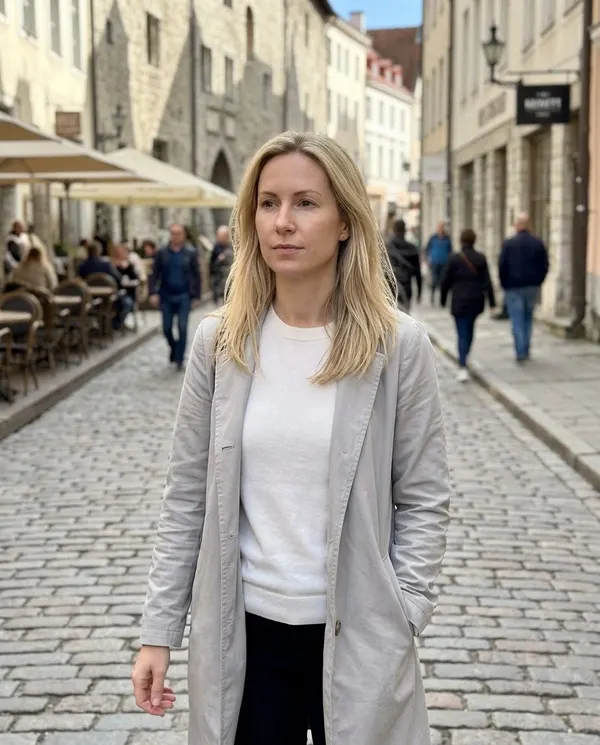
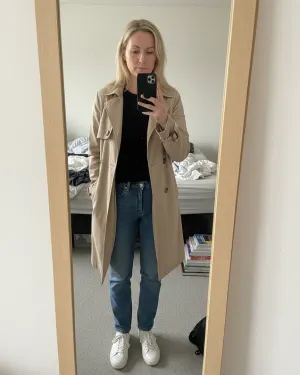
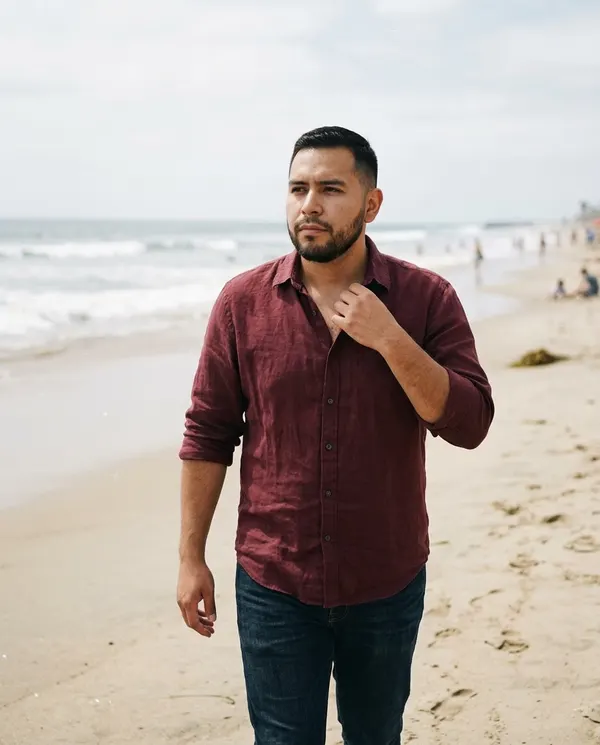
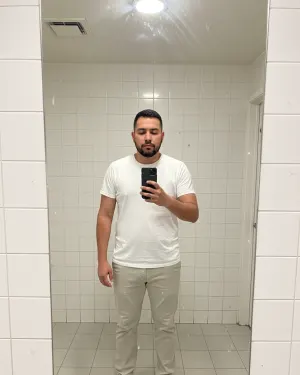
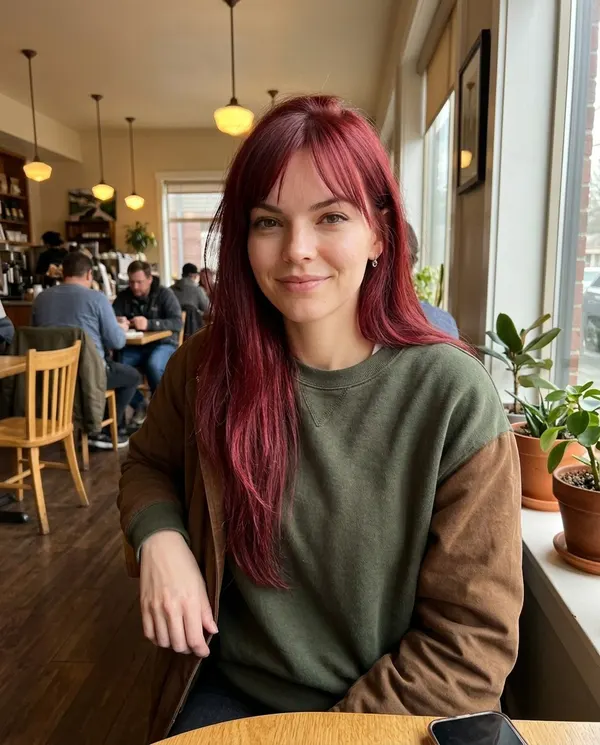
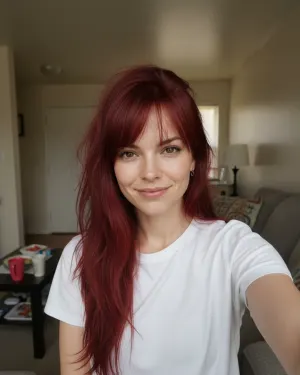
Example: 1 selfie in, profile photos out
Where you'll use it changes what you should make
A LinkedIn headshot and a Hinge photo have different jobs. One says "you can trust me with a meeting", the other says "here's what a Saturday with me looks like". The honesty bar is different too, because of how soon people see you in person.
| Where | What people expect | What to generate | How close to reality |
|---|---|---|---|
| LinkedIn, work email, Slack | Head and shoulders, clean background, friendly face | Studio or office setting, the jacket you'd wear to work | High: clients and recruiters see you on video |
| Instagram, X, Discord | Anything, including stylized | Any scene, or an avatar if that's your thing | Low, as long as you don't pass a fake scene off as real |
| Tinder, Hinge, Bumble | A real-looking photo of you as you are now | Everyday scenes you'd be in: coffee, a trail, dinner | Highest: you meet in person, and apps check your face |
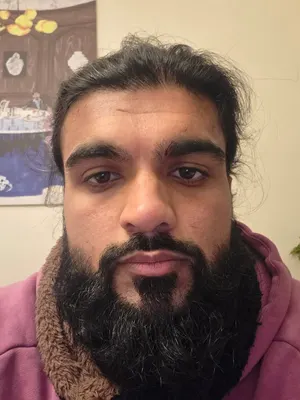 Real before
 After: MainPic, unretouched
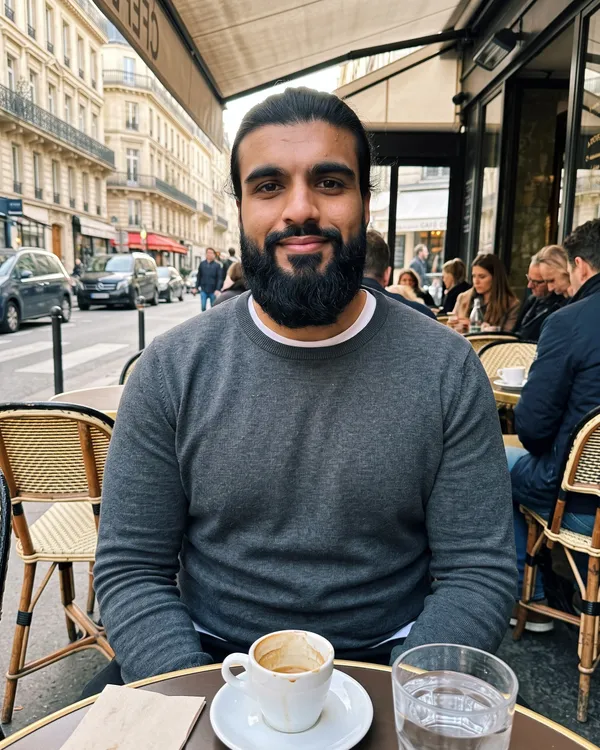 After: MainPic, unretouched
How to make an AI profile picture
- 1
Take 3 good selfies
Front, slightly left, slightly right, in daylight, with no sunglasses and nobody else in the frame. MainPic asks for exactly these 3, plus an optional full-length photo; other tools want more. Bad input is the number one reason results don't look like you, so follow the selfie routine.
- 2
Use a tool built for realistic photos
Avatar apps are for fun. For a photo people will take as real, use a generator that learns your face. I compared prices, refunds and selfie counts in the best AI dating photo generators.
- 3
Pick the setting for the job
For work, a studio portrait or a sharp suit. For dating, places you'd plausibly be on a weekend, like a coffee shop or a hike. All 20 settings with examples are on the styles page.
- 4
Delete without mercy
Show the results to a friend who sees you every week. Anything that makes them pause goes, even if it's your favorite. Keep the photo where you look like yourself on a good day, not like a stranger with your haircut.
- 5
Crop for where it's going
LinkedIn and Instagram show your picture in a small circle, so your face needs to fill it. Dating apps show a tall card, so keep your head and shoulders, ideally more. The free dating photo resizer does the crop in your browser.
Can ChatGPT or Gemini make a profile picture from your selfie?
Both can edit a photo you upload, and for a single fun avatar that's often enough. If you try it, lock the face in the prompt: "Keep my face, hair and age exactly as in this photo. Head-and-shoulders portrait, soft window light, plain gray background, navy blazer." Where general chatbots struggle is a set: five photos where the face, the jaw and the hairline stay the same person in every one. Dedicated tools learn your face from several angles first, then generate every scene from that, which is why they ask for more than one selfie.
- 1. Main photo
- 2. Full body
- 3. Hobby
- 4. Social
- 5. Travel
- 6. Candid
A balanced profile: each photo has a different job.
Whatever you use, the check is the same: put the result next to a real photo of you from this month. If the nose, eyes or age shifted, it doesn't matter how good the light is.
Short on good pictures? Here's how AI profile pictures for dating apps work, made from your real face.
The crop is half the result
A great AI photo can still make a bad profile picture if it's framed for a poster instead of a thumbnail. A few rules that hold everywhere:
- Circle crops (LinkedIn, Instagram, X, Slack): head and top of the shoulders, eyes a bit above the center. Leave a little air above your hair so the circle doesn't cut it.
- Dating cards (Tinder, Hinge, Bumble): a vertical frame from about mid-chest up for the first photo, wider shots further down the profile. More on that in the best first photo for dating apps.
- Same face, different crops: one good AI photo can give you a LinkedIn circle and a dating card. You don't need a separate generation for each.
Red flags to check before you upload
Zoom in on your phone and look for the usual giveaways. If any of these jump out, delete the photo rather than try to fix it (the full checklist, with how to test likeness on a friend, is in do AI dating photos look like you):
- Skin with no pores at all, like a wax figure.
- Hands with an extra or melted finger, glasses fused into the skin.
- A jaw, nose or hairline that isn't yours, or an age that isn't yours.
- Text in the background that turns into gibberish when you zoom.
Free tools, paid tools, and what it costs
Free AI profile picture generators exist, but there's always a catch: a watermark, one style, low resolution, or a face that drifts. That's their business model, not a scam. What's really free is broken down in free AI dating photo generators, and the paid side in how much AI dating photos cost.
Our own numbers, so you can compare: upload 3 selfies and you get 3 free photos, watermarked, no card. If you want the full set, it's a one-time $24.99 for 60 photos or $39.99 for 120, ready in about 10 minutes.
Is it OK to use an AI profile picture?
Platform rules are written against fake people, not against good lighting. Tinder's guidelines say: "Don't create a fake account or pretend to be someone you're not." Hinge's AI principles say generative AI images in your profile "should not be used to misrepresent yourself or your intentions." A photo made from your own face, that looks like you today, sits on the right side of both rules. Two caveats: Hinge's own AI dating guide (March 5, 2026) tells daters to skip AI-generated profile photos and says 88% of Hinge daters are uncomfortable with them, so if you use any there, use them for one or two shots and keep them exactly like you. And Grindr and Breeze ban AI images of yourself outright.
At work, the bar is the video call: if a client meets you on Zoom and does a double take, the photo has done you a disservice. On dating apps the bar is higher still: Tinder's Photo Verification, for example, compares a short video selfie with your profile photos. I go app by app in are AI dating photos allowed.
Once the picture is sorted, check the rest of the profile: run your shortlist through the dating photo score for light and sharpness, then see the whole set in the dating profile preview.
Written by Wasim · MainPicAbout MainPic →Frequently asked questions
How do I make an AI profile picture of myself?
Take a few sharp selfies in daylight (front and both sides), upload them to a generator that makes realistic photos, pick a setting that fits where you'll use the picture, then keep only the results a friend instantly recognizes as you. Crop it to a circle for LinkedIn or Instagram, or a tall card for dating apps.
Can I make an AI profile picture for free?
Yes, with limits. Free tools usually add a watermark, cap the resolution or offer one style, and some produce avatars rather than photos. MainPic gives 3 free watermarked photos from 3 selfies with no card, which is enough to check the likeness before paying for anything.
Is it OK to use an AI profile picture on LinkedIn?
It's fine if it shows you as you look today, the way a good photographer would. The problem is a face people don't recognize on the first video call. Avoid avatars and heavy flattery for work profiles.
Can ChatGPT turn my selfie into a profile picture?
It can edit a single photo, and that may be enough for one casual picture. For a consistent set where your face stays the same in every scene, tools that learn your face from several selfies usually do better. Either way, compare the result with a recent real photo before using it.
What prompt should I use for an AI profile picture?
Describe only the setting and the clothes, and tell the tool to keep your face, hair and age exactly as in the photo, for example "plain gray background, navy blazer, soft window light, same face". Then put the result next to a recent real photo and check the eyes, nose and jaw.
Are AI profile pictures allowed on dating apps?
Tinder, Hinge and Bumble ban misrepresenting yourself rather than every AI image, though Hinge's own guide advises skipping AI profile photos. Grindr bans AI images passed off as you, and Breeze bans AI-generated photos of yourself. A photo generated from your own selfies that still looks like you is very different from a fake face. Each app's rules are compared in our guide to whether AI dating photos are allowed.
Sources
Keep reading
How to Take Selfies for AI Photos That Look Like You
How to take selfies for AI photos: the 3 angles to shoot, where to stand, how far to hold the phone, and the mistakes that make results look off.
Read the guide →AI vs Real Dating Photos: Which Wins and How to Mix Them
AI vs real dating photos: which profile slots should stay real, which ones AI can fill, who should skip AI entirely, and the mix that still looks like you.
Read the guide →Are AI Dating Photos Allowed? Tinder, Hinge, Bumble, Grindr
Are AI dating photos allowed? What Tinder, Hinge, Bumble and Grindr's own rules say about AI photos, how verification checks you, and where the line is.
Read the guide →