AI Dating Photos for Women: Natural, Safe, Still You
AI dating photos for women: when they help, how to keep them natural, what to delete, and how to protect your selfies and privacy before you upload.
9 min read
In this article
Quick answer
AI dating photos for women work best when your camera roll is the problem: only group shots, no full-length photo, nothing recent. Keep them natural by rejecting anything that smooths, slims or de-ages you, and only upload selfies to a tool that says in plain words how long it keeps them.
AI dating photos can help women a lot, with one catch. Many tools lean toward "pretty" by default: smoother skin, a narrower face, glossier hair, sometimes a few years off. That looks great as a thumbnail and bad across the table on a first date.
This guide covers the AI part only: when it's worth it, how to keep results natural, what to delete, and how to protect your selfies. For which shots to include and in what order, start with female dating profile pictures that work.
When AI photos help, and when real ones are enough
AI fixes a missing-photo problem. It doesn't fix a face problem, because the person you meet will see your real face. It's worth it when one of these sounds like you:
- You're always the one taking the photos, so every picture of you is an arm's-length selfie.
- Your recent photos are all group shots, and cropping your friends out leaves you blurry and off-center.
- You don't have a single full-length photo from the last year.
- You changed your hair, color or style, and your old photos no longer look like you.
- You're back on the apps after a long relationship and your camera roll is mostly your ex, your kids or your dog.
If you already have four decent, recent photos, AI adds little. Plenty of women do fine with real photos and a friend with a decent phone: fix the order and your first photo with the best first photo guide. And if what you want to change is your body or your age, AI is the wrong tool. That gap shows the second you sit down.
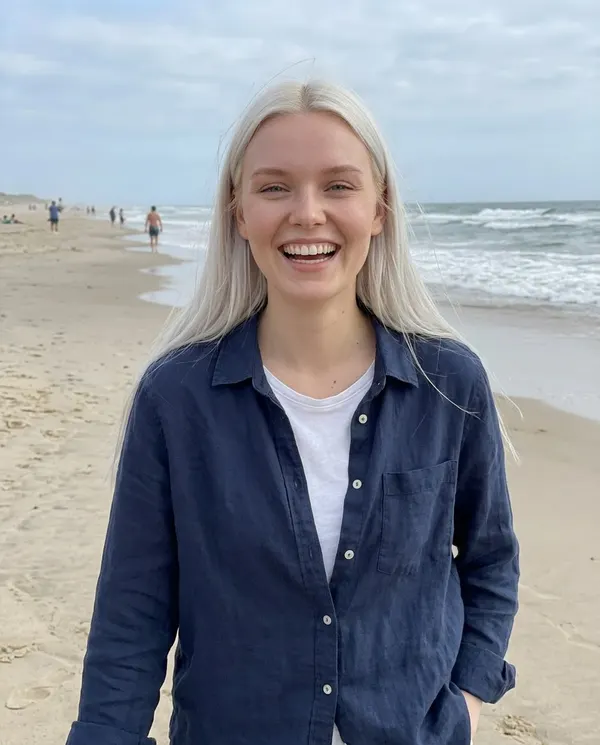
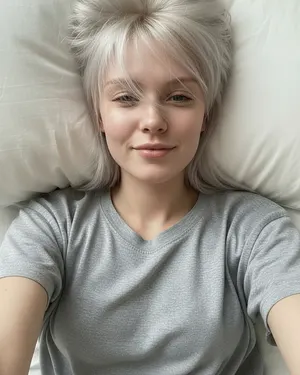
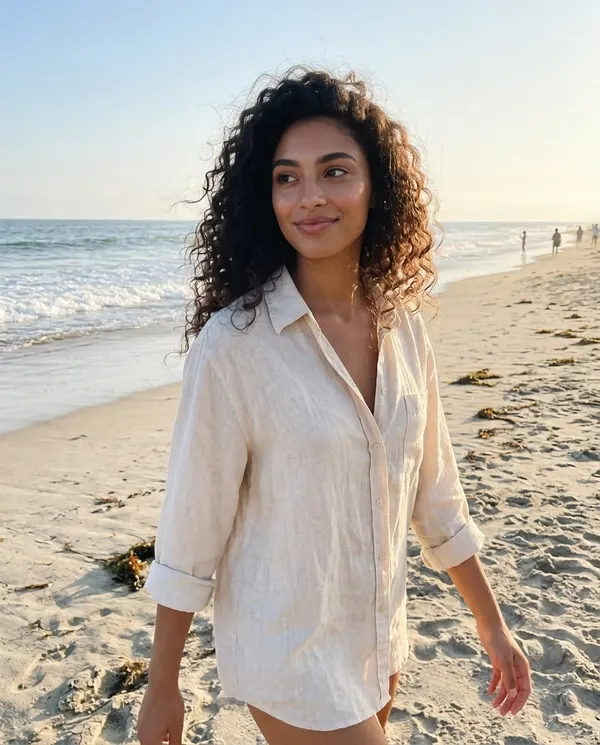
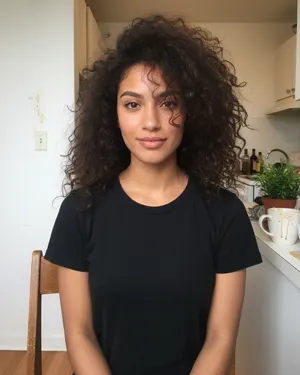
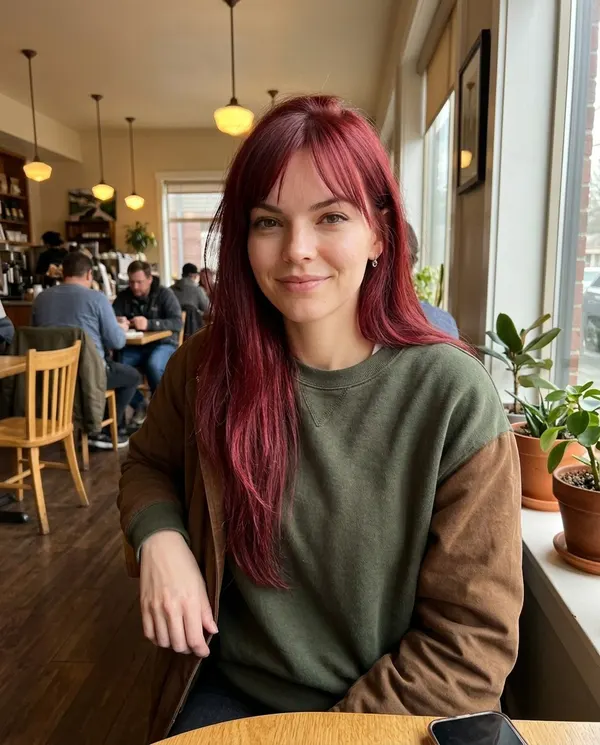
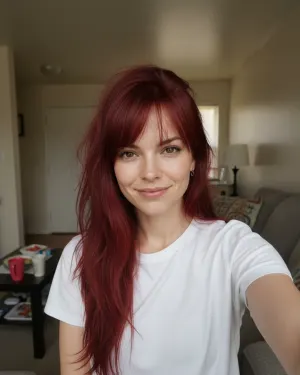
Example: 1 selfie in, profile photos out
Why AI tools over-edit women
Because they learned from the internet, and the internet's photos of women are filtered, retouched and often sexualized.
The clearest example is old but still useful. In 2022, a reporter at MIT Technology Review generated 100 avatars of herself in the Lensa app. Sixteen were topless and 14 more showed her in very skimpy clothes or sexualized poses. Her male colleagues got astronauts and fierce warriors.
Dating photo tools are more controlled than an avatar app, but the pull is the same. Left alone, a model drifts toward a generic, polished woman. Your job is to catch the drift. Check every result for these:
- Skin with no texture. No pores, no freckles, no fine lines. A woman who spoke to CBS News said AI faces can look "waxy". That's the problem in one word.
- A slimmer face. Narrower jaw, higher cheekbones, a smaller nose.
- Bigger eyes, fuller lips. Small changes, but your friends will spot them at once.
- Different hair. Longer, shinier, straighter. Curls get loosened into soft waves.
- More makeup than you wear. Lashes, contour and lip color you'd never put on for a Tuesday drink.
- A different body. AI has very little to go on for your body, so it guesses toward the average model.
- Age and skin tone drift. Five years younger, or a shade lighter or darker than you are.
For the full zoom-in checklist (hands, teeth, jewelry, text in the background), see do AI dating photos look like you.
How to keep AI dating photos natural
Give the tool the real you, ask for ordinary scenes, and pick the accurate result over the pretty one.
- 1
Start with honest selfies
Recent, unfiltered, beauty mode off, taken in daylight. Wear the makeup and hair you'd wear on a date. The tool can only be as honest as what you give it. Our selfie guide for AI photos has a 10-minute routine.
- 2
Ask for places you go
A coffee shop, a bookstore, a trail if you hike, your own kitchen (cooking), an art gallery, a dinner out, a trip you could talk about. Skip rooftop pools and cities you've never visited. A match will ask about the photo, and you want a real answer.
- 3
Keep the outfits yours
Jeans and a nice top beat an evening gown you don't own. If you'd never wear it, don't post it.
- 4
Generate more, keep less
Expect to throw a good share of results away. Keep the ones where your face is unmistakably yours, even when a less accurate one is more flattering.
- 5
Run the friend test
Send your picks to a friend who'll be blunt. Ask "is this me?", not "is this nice?". Delete anything that makes her hesitate.
- 6
Mix in real photos
One or two real photos keep the whole set grounded. AI vs real photos explains how to split them.
What women should delete from an AI batch
Anything that makes a claim about your body or your life that isn't true. Those are the photos that turn a nice first date into an awkward one.
Do
- Everyday outfits you own or would buy
- Scenes that match your real hobbies and your city
- Your real hair color, length and texture
- One full-length photo that matches your build
- Simple jewelry, or none
Don't
- Generated swimsuit or lingerie shots. Your body is what AI is worst at keeping honest.
- Sexualized poses or outfits you didn't ask for. Delete them instead of trying to tone them down.
- Scenes with other people. AI-made friends are strangers who don't exist, and their faces often look wrong.
- Luxury scenes you don't live: sports cars, designer bags, champagne on a deck.
- Pets you don't have. Someone will ask its name.
Short on good pictures? Here's how AI profile pictures for dating apps work, made from your real face.
Protecting your privacy with AI photos
Two separate questions: what happens to your selfies after you upload them, and what your finished photos reveal about you.
Before you upload your selfies
- Open the privacy policy and look for three things: how long they keep your selfies, whether they train their models on them, and how you delete your data. If you can't find all three in five minutes, don't upload.
- Don't send your face to an anonymous seller on a freelance marketplace or through DMs. You have no idea where those files end up.
- Upload only photos of yourself. A group shot puts your friends' faces into a service they never agreed to.
- Skip any app that wants your whole camera roll when it only needs a few selfies.
For reference, here's ours. At MainPic, if you don't buy, your selfies are deleted within 24 hours. If you do, selfies and photos are deleted 30 days after the order, so download what you want to keep. They're never used to train AI, and the generation runs through our AI provider, fal.ai. Whatever tool you choose, you should find sentences like these in plain words.
After the photos are made
AI photos have one privacy upside. They aren't on your Instagram, so a stranger who reverse-searches your dating photo won't land on your social accounts. The scenes are also generic, which fits Bumble's safety advice to leave out photos that show a specific place you go often, like your go-to dog park or local bar.
Still check each image. Some tools edit your original photo instead of building a new scene, and then your real street, building or office comes along with you. Zoom in on signs, windows and logos before you post.
How many AI photos to use, and where
Keep AI to half your profile or less, and use it for the slots you're missing. For most women that means the full-length shot and one or two activity photos.
- Lead with your most accurate face photo, real or AI. In the first slot, accuracy beats polish.
- Put a real photo in your first three if you have a decent one. It anchors the rest.
- Don't post five AI photos from the same batch. Same light, same skin, same smile reads as a set.
- Order your options with the free photo ranker, and use the dating photo score as a quick technical check of light and sharpness.
If you want to try AI for the slots you're missing, MainPic makes photos from 3 of your own selfies, and you see 3 free watermarked photos first. Turn down anything that slims you, de-ages you or straightens your hair. If you buy (one-time, $24.99 for 60 or $39.99 for 120) and none of your photos look like you, email us within 14 days: we redo them free, and if they still don't, we refund you in full. Want to see a real person's result first? Our before and after page shows one, unretouched.
Do you have to tell matches your photos are AI?
None of the official Tinder, Hinge or Bumble pages we've read asks you to label AI photos. Hinge's rule is about not misrepresenting yourself. A photo that looks like you and shows a life you live is closer to a good photographer than to catfishing.
If a match asks, tell the truth. A quick "yes, that one's AI, the dog is real" is charming. Getting caught lying about it is not. And if you'd feel uneasy admitting a photo is AI, that's usually a sign it changed too much.
Over 50? Dating profile photos over 50 covers light, glasses and gray hair for your age.
 Written by Wasim · MainPicAbout MainPic →
Frequently asked questions
Do AI dating photos work for women?
They can, when they fill gaps in an otherwise real profile: a full-length shot, an activity photo, something recent. They work badly when they change your face or body, because the difference shows on the first date.
Can guys tell if your dating photos are AI?
Sometimes. Over-smooth skin, strange hands, garbled text and a face that changes between photos give it away. Natural results mixed with real photos are much harder to spot, and if they look like you, it matters far less.
Is it safe to upload my selfies to an AI photo app?
It depends on the app. Check how long it keeps your selfies, whether it trains its models on them and how you delete them. Avoid anonymous sellers and apps that ask for your whole camera roll.
Should I let AI make me look slimmer or younger?
No. It's the fastest route to a disappointing first date, and Hinge's AI principles say generated images shouldn't be used to misrepresent yourself. Keep the light flattering and the face and body yours.
How many AI photos should a woman put on her dating profile?
Half or fewer. Use them for the slots you're missing and keep at least one or two real photos, ideally one of them in your first three.
Do I have to say my dating photos are AI?
None of the official Tinder, Hinge or Bumble pages we've read requires a label; Hinge's rule targets misrepresentation. If a match asks, be honest. If you'd feel uneasy admitting it, the photo probably changed too much.
Sources
- MIT Technology Review: The viral AI avatar app Lensa undressed me, without my consent
- CBS News: Dating apps, AI photos and authenticity
- Hinge: AI principles
- Hinge Help Center: What is Selfie Verification?
- Tinder Help Center: How does Photo Verification work?
- TechCrunch: Bumble adds an option to report AI-generated profiles
- Bumble: Safety
Keep reading
TinderProfile.ai Alternatives (2026): 5 Tools Compared
TinderProfile.ai alternatives for Tinder, Hinge and Bumble photos, compared on price per photo, free previews, refunds and how long your selfies are kept.
Read the guide →Photo AI Alternatives for Dating Photos (2026)
Want a Photo AI alternative for Tinder, Hinge or Bumble? What Photo AI really costs, its refund rule, and 5 dating tools compared. Checked November 2026.
Read the guide →Best AI Dating Photo Generators (2026): 8 Compared on Price and Realism
The best AI dating photo generators for Tinder, Hinge and Bumble: 8 tools compared on price per photo, free previews, refund rules and privacy.
Read the guide →